Grip & Wrist Strength Tracker for Armwrestlers — ArmProgress
Track grip and wrist strength for armwrestling in ArmProgress — per-arm PRs for pronation, supination and holds, a built-in hold timer and estimated 1RM charts.
Ask a puller how strong their wrist is and you'll usually get a feeling, not a number. "Getting there." "Better than last year." "My left's a bit behind." The trouble is that feelings don't tell you whether your last training block worked, and in a sport where the hand and wrist decide most matches, guessing is expensive.
General gym apps don't help much. They're built around bench, squat and deadlift, they treat a static hold as if it were a set of reps, and they lump both arms into one number. That's why we made ArmProgress to track the things armwrestlers actually train: pronation, supination, cupping, rising, grip and holds — separately for each arm.
What "grip and wrist strength" means at the table
When armwrestlers talk about the hand and wrist, they usually mean a handful of distinct qualities:
- Cupping — flexing the wrist toward you and keeping it there. Lose it and your hand gets opened up.
- Pronation — turning the hand over, the driving force of a toproll.
- Supination — turning the other way, central to a hook.
- Rising — lifting the hand on the thumb side to keep your wrist from being folded back.
- Crush and support grip — closing your hand hard and keeping it closed under load.
- Static strength — holding a position for time, which is how many matches are won once both pullers lock up.
Each of these can improve or stall on its own, and each can be ahead on one arm and behind on the other. That's why a single "grip score" isn't enough. The product team's guide to grip and forearm strength for armwrestling lists the exercises that train each one.
How ArmProgress tracks your grip and wrist
Personal records for each arm
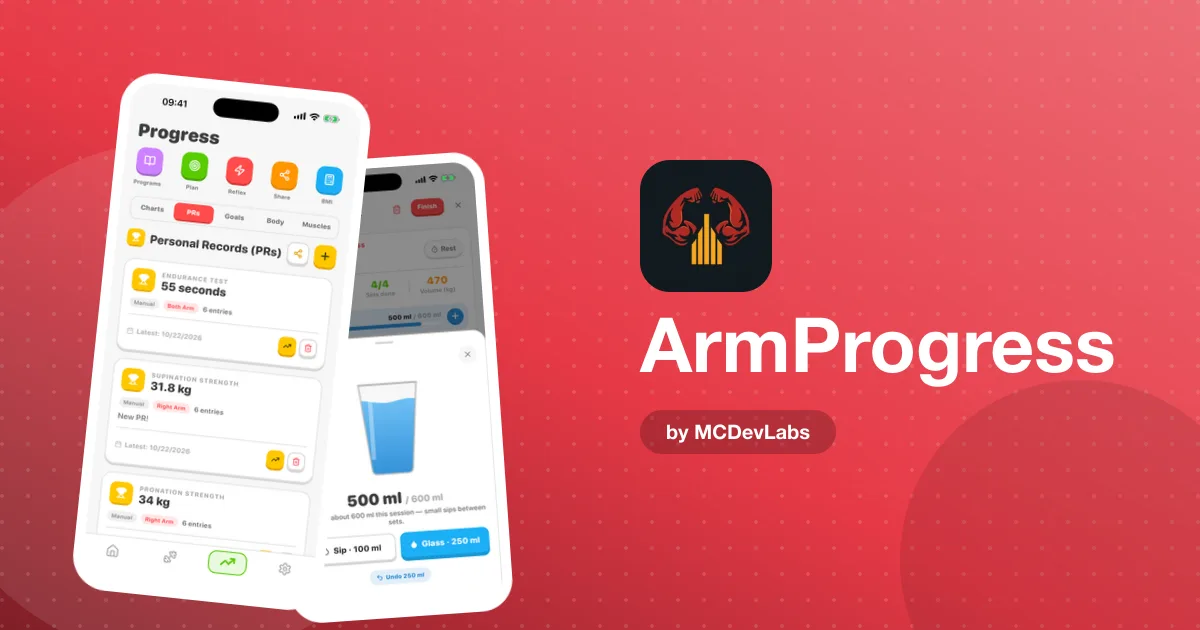
The Personal Records screen keeps strength and endurance PRs separately for your left and right arm — pronation, supination, time holds and more. Each record comes with its full entry history, so you can see not just your best, but the path you took to get there. Every new record counts, and you'll know straight away which arm earned it.
A built-in hold timer for static work
Switch any exercise from sets and reps to a time hold and run the built-in timer. Load up a cupping hold, a riser hold or a thick-bar support hold, start the timer, and save the result when you let go. If you timed it another way, enter the hold manually. Your static strength then becomes a real number that can go up — rather than "I held it for a while".
Exercise progress charts
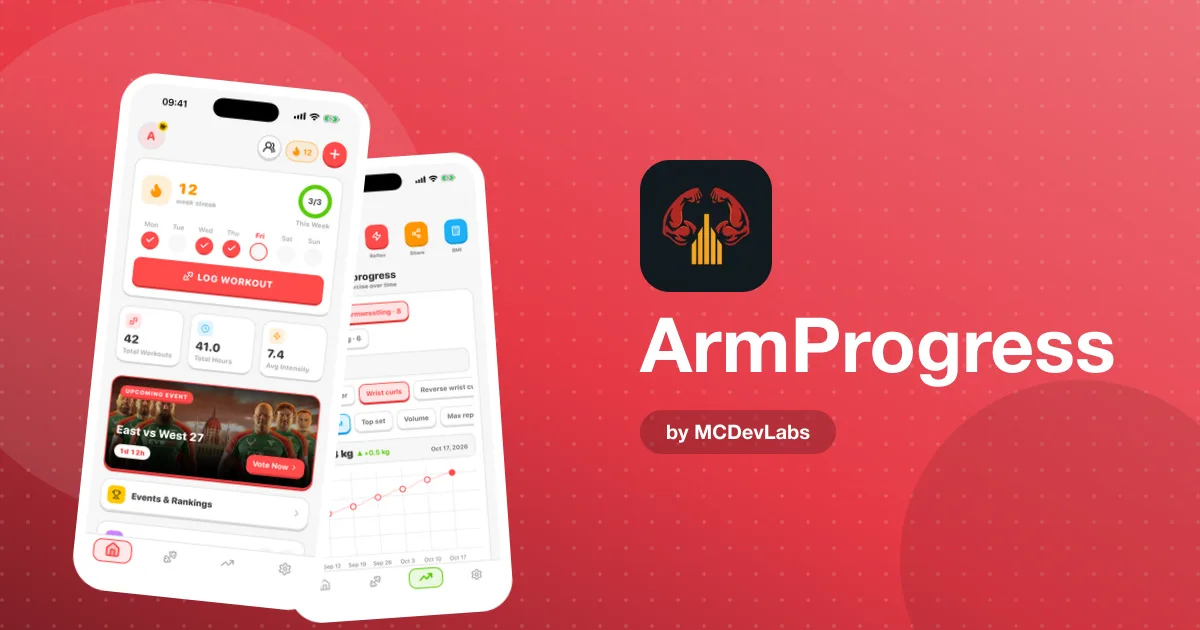
For dynamic work like wrist curls, pronation lifts or rising, the exercise progress screen follows each exercise over time with estimated 1RM, top set, volume and max reps. You can filter by category and see the latest change at a glance, so it's easy to tell whether your pronation actually moved this month.
Left vs right analytics
The progress analytics let you look at training frequency, duration and intensity over ranges from daily to 12 months — and filter by left or right arm. One arm is almost always ahead in armwrestling, and a combined number flatters you. The arm filter shows the real gap.
An exercise library built for the sport
The exercise library is focused on the movements pullers actually train, so logging a riser or a cupping set takes seconds instead of a search through gym-machine variations.
What to track, and how often
| Quality | Example exercise | Log it as | Check the trend |
|---|---|---|---|
| Cupping | Wrist curl, handle cupping | Weight × reps, per arm | Every 2–3 weeks |
| Pronation | Pronator bar, offset dumbbell | Weight × reps, per arm | Every 2–3 weeks |
| Supination | Band or handle supination | Weight × reps, per arm | Every 2–3 weeks |
| Rising | Riser with a loaded handle | Weight × reps, per arm | Every 2–3 weeks |
| Static strength | Cupping or riser hold | Hold time with the hold timer | Every 2–3 weeks |
| Grip | Gripper, thick-bar hold | Reps or hold time | Monthly |
A two- to three-week window is long enough to see real change and short enough to catch a stall before it costs you a whole block.
How to get started in 3 steps
- Download ArmProgress and add the grip and wrist exercises you already do from the exercise library.
- Set a baseline for both arms. In your next session, log a solid top set for cupping, pronation, supination and rising on each arm, and time one or two static holds with the hold timer. These become your first personal records.
- Train, log, compare. Keep logging every set. After a few weeks, open the Personal Records and exercise progress screens and compare left against right. Bring up the weaker side first — the product team's piece on the three key armwrestling movements shows how these strengths feed into the toproll, hook and press.
Reading your numbers
A few patterns are worth looking out for:
- Strong pronation, weak supination. You'll likely toproll well and struggle in a hook. Shift some volume over.
- A big left/right gap. Normal, but if it keeps growing, your weaker arm needs dedicated sessions, not leftovers.
- Rising dynamic numbers, flat hold times. You're getting stronger through the range but not in the position you'll be locked in at the table. Add more timed holds.
- Everything flat for a month. Time to change load, volume or the program — or check whether recovery is the real issue. Our post on recovery tracking in ArmProgress explains how to log sleep, nutrition and injuries next to training.
Why a tracker beats a feeling
Grip and wrist training is slow. Tendons and small forearm muscles adapt over months, not days, and week to week the change is often too small to notice. A tracker turns those small changes into a visible trend, which is exactly what keeps you training through the boring middle of a block. ArmProgress adds a bit of motivation too, with a rank ladder and 20 achievement badges for milestones along the way.
The app works without a connection and is available in eight languages, so you can log in the gym, the garage or the club — wherever the work happens.
Start tracking your grip and wrist
Your hand and wrist win matches. Give them numbers. Download ArmProgress free on the App Store or Google Play, log a baseline for both arms, and watch your pronation, cupping and hold times climb.
Frequently asked questions
- Can ArmProgress track grip and wrist strength separately for each arm?
- Yes. Personal records for strength and endurance — pronation, supination, time holds and more — are kept separately for your left and right arm, each with its full entry history.
- How do I track static holds?
- Switch any exercise from sets and reps to a time hold and use the built-in hold timer, then save the result. You can also enter a hold manually.
- Which numbers does the progress chart show?
- For each exercise it shows estimated 1RM, top set, volume and max reps over time, filtered by category, with the latest change at a glance.
- How often should I check my grip and wrist progress?
- Every two to three weeks is a good rhythm for most wrist exercises. Small forearm muscles and tendons adapt slowly, so day-to-day changes are rarely meaningful.
Have an app idea?
We turn ideas into production apps on the App Store, Google Play, and Telegram. Let's build yours together.
Start a Project