Gym Tracker App for Beginners — Your First Month With GymMonster
A practical guide to using a gym tracker app as a beginner - what to log, what to ignore, and how to set up GymMonster for your first four weeks.
If you've just started going to the gym, a tracker can feel like homework — more screens, more numbers, more decisions. It shouldn't. Used well, a tracker removes decisions: it tells you what you did last time so you know what to do this time.
We build GymMonster, and beginners were a big part of who we designed it for. This guide explains how to use any gym tracker in your first month, with specific setup tips for GymMonster.
Why track at all as a beginner?
Beginners progress faster than anyone. In the first months, the weight you can lift on most exercises goes up almost every week. That's motivating — but only if you can see it. Without a log you're guessing, and guessing usually means one of two mistakes:
- Lifting the same weight for months because you don't remember what you did.
- Jumping up too fast because last week "felt easy", then stalling or getting sore for days.
A log fixes both. Your only job is to beat last time by a little.
What to log in month one
Keep it minimal. For each exercise, log:
| Log this | Ignore this for now |
|---|---|
| The exercise | Tempo, rest-pause, RPE scores |
| Weight and reps for each set | Body-fat estimates |
| Whether a set was a warm-up | Detailed periodization |
| How long the session took (the app does this) | Ten different charts |
That's it. Weight, reps, and a tick. Everything else is a refinement for later.
Setting up GymMonster for your first workout
1. Pick a simple routine
Don't design your own program yet. GymMonster includes pre-built routines — Push, Pull, Legs, Upper and Full Body — and a full-body routine two or three times a week is a great starting point. The product team has a ready-to-use beginner gym routine template and a guide to the best 3-day workout split if you want to pick between options.
2. Watch the video before your first set
Every exercise in the GymMonster library has a short demo video and form tips. Before your first set of an unfamiliar exercise, watch it once. It takes twenty seconds and it's the cheapest coaching you'll ever get.
3. Start lighter than you think
Your first session is about learning movements and finding starting weights. Pick a weight you could lift for a few more reps than you're doing. Log it honestly. Next week, add a little.
4. Mark your warm-up sets
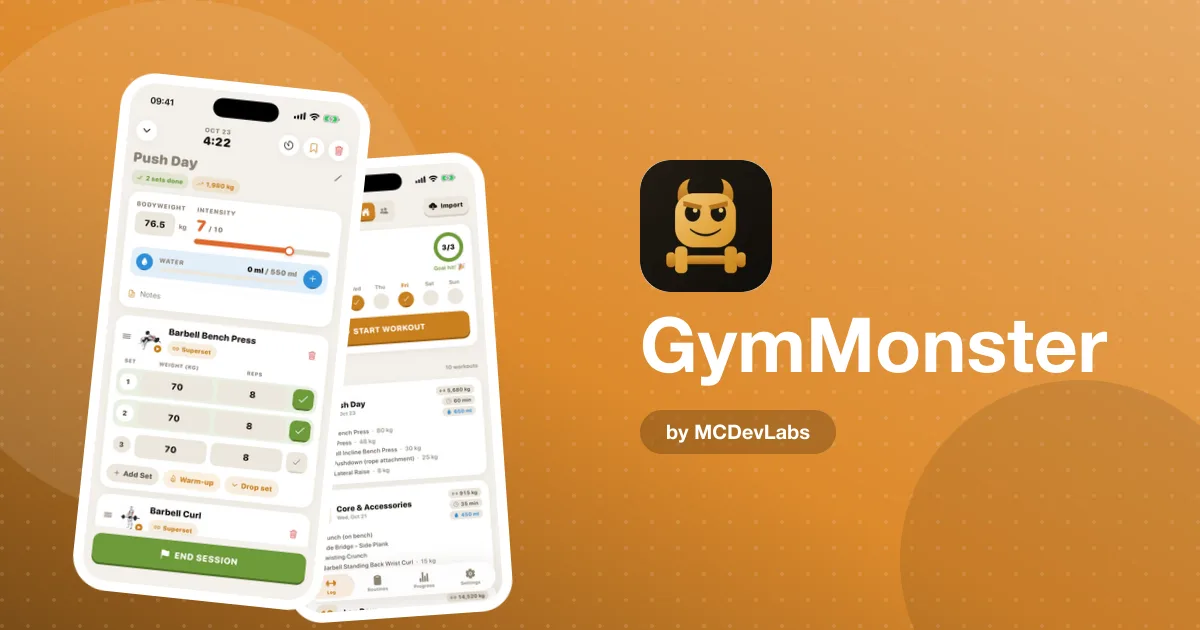
GymMonster lets you mark warm-up sets so they stay in your log without inflating your volume. As a beginner, a light set or two before your working sets is a good habit; marking them keeps your numbers clean.
Your first four weeks
| Week | Focus | What to look at in the app |
|---|---|---|
| 1 | Learn the movements, find starting weights | Exercise videos and form tips |
| 2 | Repeat the same routine, add a little weight or a rep | Last week's session in your workout history |
| 3 | Keep adding small amounts; don't skip sessions | Your weekly check-ins on the home screen |
| 4 | Look back at how far you've come | PR charts and the muscle heatmap |
The rule for all four weeks is the same: show up, and beat last time by a small amount. If you can't add weight, add a rep. If you can't add a rep, match last time with better form.
Building the habit
Most beginners don't quit because the program is wrong. They quit because the habit never forms. A few things in GymMonster are there specifically to help:
- A weekly streak, not just a daily one. In the mobile app you can set a weekly training commitment. If you train three times a week, rest days don't break anything.
- Check-ins on the home screen. You see this week's sessions the moment you open the app.
- Badges for early milestones. Your first logged workout, your tenth, your first routine — small wins that make the first weeks feel like progress.
- Friends. If a friend trains too, add each other with a short code. Seeing their workouts in the feed is a surprisingly strong nudge. We wrote more about this in training with friends.
If you're still building the habit of going at all, the product site's guide on how to start going to the gym and keep going is a good companion to this one.
Common beginner mistakes with trackers
- Logging nothing because you "forgot". Log each set right after you finish it, not at the end of the session.
- Changing the routine every week. You can't see progress if the exercises keep changing. Stick with one routine for at least a month.
- Checking charts every day. Progress shows over weeks. Look at your charts once a week at most.
- Comparing yourself with friends' weights. Use the leaderboard for consistency — streaks and workouts — not for who lifts heavier.
How much to add each week
"Beat last time by a little" raises an obvious question: how little? These are sensible starting points for the first couple of months. They're guidelines, not rules — if your form breaks down, hold the weight.
| Exercise type | Typical jump when you hit your reps | If the jump is too big |
|---|---|---|
| Big lower-body lifts (squat, deadlift, leg press) | 2.5–5 kg | Add a rep per set instead |
| Big upper-body lifts (bench, rows, overhead press) | 1–2.5 kg | Add a rep per set instead |
| Dumbbell exercises | The next dumbbell up | Stay until you can do every set at the top of your rep range |
| Machines and cables | One pin on the stack | Add reps first, then move the pin |
| Bodyweight exercises | One or two more reps | Slow the lowering phase |
Your log is what makes this work. When you open an exercise in GymMonster you can check what you did last time in your history, then decide: same weight for more reps, or a small jump in weight. After a few weeks, your PR charts show the result as a line going up — which, for most beginners, is the moment tracking stops feeling like homework.
What if you miss a session?
Nothing breaks. Pick up where you left off, at the same weights. If you've missed more than a week or two, drop the weights slightly for your first session back. The log tells you exactly where you were, so you never have to start from zero.
When to move beyond the basics
After a couple of months, you'll notice your progress slowing on some exercises. That's normal and it's when the extra parts of a tracker start to earn their keep: PR charts over time, weekly frequency, the muscle heatmap to check balance, and body measurements to see changes the scale misses.
You don't need any of that on day one. You'll grow into it.
Start your first month
GymMonster is free to start, and core logging is included. Get it on the App Store or Google Play, or open the Telegram version from the GymMonster homepage. For a step-by-step look at a full session, read how GymMonster works, and for the design behind the app, the GymMonster case study.
Frequently asked questions
- Should beginners use a gym tracker app?
- Yes. Beginners progress quickly, and a tracker shows what you lifted last time so you can add a little each week instead of guessing.
- What should a beginner log in a workout app?
- Just the exercise, weight and reps for each set, and whether a set was a warm-up. Advanced metrics can wait until progress slows.
- Does GymMonster have routines for beginners?
- Yes. GymMonster includes pre-built routines such as Full Body, Push, Pull, Legs and Upper, and every exercise has a demo video and form tips.
- How often should I check my progress charts?
- About once a week. Progress shows over weeks, so checking daily mostly shows noise.
Have an app idea?
We turn ideas into production apps on the App Store, Google Play, and Telegram. Let's build yours together.
Start a Project